


Introduction: Why Python Execution Skills Matter
Python has become one of the most versatile programming languages in the modern tech world. From web development and artificial intelligence to automation and data science, it powers countless applications across industries. However, writing code is only half the journey. The real skill lies in understanding execution.
Many beginners struggle at the very first step after writing their script. They often ask questions like how do I actually make this program work or why is nothing happening after I press enter. This is exactly where understanding how to run code in python becomes essential.
Once you master execution, you gain confidence, reduce errors, and improve productivity. You are no longer guessing—you are in control of your environment and your programs.
Understanding Python Execution Basics

Before jumping into tools, it’s important to understand what happens behind the scenes when Python runs your program. Python is an interpreted language, meaning it executes code line by line instead of compiling everything beforehand.
When you execute a script, the interpreter first reads the code, converts it into bytecode, and then passes it to the Python Virtual Machine (PVM) for execution. This layered process makes Python flexible and beginner-friendly.
This foundational understanding of how to run code in python helps you debug issues more effectively because you begin to understand where things can go wrong—syntax stage, interpretation stage, or runtime stage.
Running Python Code Using the Terminal
One of the most traditional and powerful ways to execute Python programs is through the terminal or command line interface. Despite newer tools, professionals still rely heavily on this method.
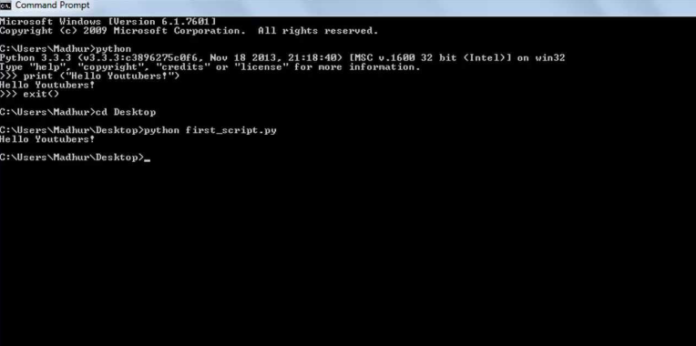
To run a Python file, you simply open your terminal, navigate to the directory where your file is located, and type:
python filename.pyThen press Enter, and your program executes instantly.
This method gives you direct control over your system environment. It is especially useful when working on servers, automation scripts, or production environments.
Learning how to run code in python through the terminal builds strong foundational skills that make you comfortable working in any operating system, whether Windows, Linux, or macOS.
The terminal also helps you understand errors more clearly because it directly displays system-level messages without abstraction.
Executing Python Code in IDEs
Integrated Development Environments (IDEs) are among the most popular tools for modern developers. They provide a complete coding workspace with features like syntax highlighting, debugging tools, auto-completion, and built-in execution buttons.
Popular IDEs include PyCharm, Visual Studio Code, and Spyder.
With IDEs, running code becomes extremely simple. You just click the “Run” button or press a shortcut key, and your program executes instantly within the built-in console.
The biggest advantage of IDEs is convenience. You don’t need to manually type commands every time. Instead, everything is integrated into one environment.
Understanding how to run code in python using IDEs is especially useful for beginners because it removes technical barriers and allows focus on learning logic instead of system commands.
IDEs also help in managing large projects efficiently by organizing files and dependencies in a structured way.
Using Jupyter Notebook for Interactive Execution
Jupyter Notebook has become extremely popular in data science and machine learning communities. It provides an interactive environment where code is written and executed in cells.
Each cell runs independently, which allows developers to test small pieces of code without running the entire program.
To execute code in Jupyter, you simply write your code in a cell and press Shift + Enter.
This tool is highly beneficial for learning and experimentation. You can immediately see outputs below each cell, making it easier to understand program behavior.
When learning how to run code in python, Jupyter Notebook is extremely helpful because it bridges the gap between coding and visualization.
It also supports Markdown, allowing you to document your thought process alongside code, making it ideal for educational purposes.
Comparison of Different Execution Methods
Below is a clear comparison of the most commonly used Python execution methods:
| Method | Ease of Use | Best For | Speed | Learning Curve |
|---|---|---|---|---|
| Terminal | Medium | Scripts & automation | Fast | Moderate |
| IDEs | Easy | Software development | Medium | Easy |
| Jupyter Notebook | Very Easy | Data science & analysis | Medium | Very Easy |
| Online Tools | Very Easy | Quick testing & learning | Medium | Very Easy |
Each method has its strengths, and choosing the right one depends on your goal and experience level.
Running Python Online Without Installation
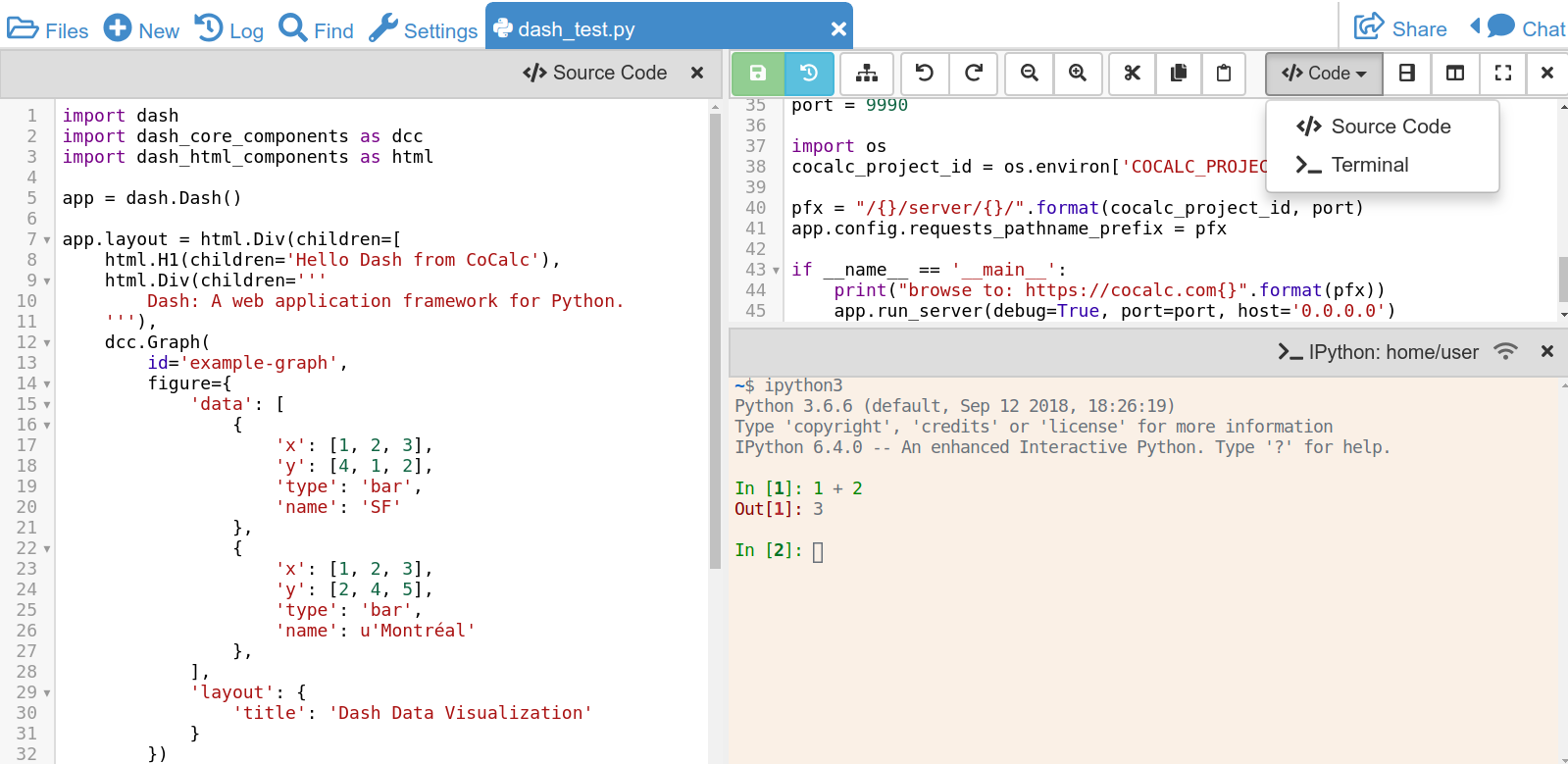
Not everyone wants to install software on their system, especially beginners. Online Python compilers solve this problem by allowing you to run code directly in a browser.
Platforms like Google Colab, Replit, and Programiz offer free environments where you can write and execute Python instantly.
These tools are especially helpful when experimenting or learning new concepts quickly.
They also remove setup issues, making it easier to focus purely on coding logic and experimentation.
Even when using online tools, understanding how to run code in python conceptually remains important because the underlying execution process is still the same.
Python Execution in Automation and Real Projects
Python is widely used for automation tasks like file handling, web scraping, sending emails, and system monitoring.
In real-world projects, scripts are often scheduled to run automatically without manual intervention.
For example, you can schedule a script using task schedulers or cron jobs depending on your operating system.
Automation makes Python extremely powerful because it can perform repetitive tasks efficiently without human involvement.
Learning how to run code in python in automated environments helps you move beyond basic scripting into real-world problem solving.
It also allows developers to build systems that run continuously in the background.
Common Errors and How to Fix Them
Even experienced programmers face issues while executing Python code. Understanding common errors helps you troubleshoot faster.
Syntax Errors
These occur when the code is not written correctly according to Python rules. Missing colons, brackets, or indentation errors are common causes.
Module Errors
These happen when required libraries are not installed. You can fix this using pip:
pip install module_nameFile Path Issues
If Python cannot locate your file, ensure you are in the correct directory before executing the script.
Runtime Errors
These occur during execution and are usually caused by incorrect logic or invalid input.
Debugging becomes much easier once you understand how to run code in python properly because you can identify where the execution fails.
Best Practices for Smooth Python Execution
To become efficient, you should follow certain practices that improve workflow and reduce errors.
Always keep your code organized in separate folders for different projects. This helps avoid confusion and makes navigation easier.
Using virtual environments is another important practice. It allows you to manage dependencies separately for each project.
Testing small parts of your code before running full programs helps you identify issues early.
Regularly updating Python and installed libraries ensures compatibility and performance.
These habits significantly improve your experience and make execution smoother and more reliable.
Advanced Execution Techniques for Professionals
Once you are comfortable with basics, you can explore advanced techniques that are used in real-world development environments.
You can run Python scripts in the background using system commands or scheduling tools. This is useful for long-running processes like data scraping or server tasks.
Cloud platforms like AWS, Azure, and Google Cloud also allow remote execution of Python programs on powerful servers.
Virtual environments add another layer of control by isolating project dependencies.
All these techniques enhance your understanding beyond basic execution and give you real industry-level skills.
Why Execution Knowledge Is Essential
Many learners focus only on writing syntax but ignore execution. However, execution is what brings code to life.
Without understanding execution, debugging becomes difficult, and project development slows down.
Mastering how to run code in python ensures that you are not just writing code blindly but actually understanding how it behaves in real environments.
This knowledge improves problem-solving skills, boosts confidence, and prepares you for advanced programming challenges.
FAQs
What is the easiest way to run Python code?
Using an IDE or online compiler is the easiest way for beginners because it requires minimal setup.
Do I need Python installed to run programs?
Yes, for local execution you need Python installed. However, online platforms allow execution without installation.
Why is my Python code not running?
Common reasons include syntax errors, incorrect file paths, or missing libraries.
Can Python run on mobile devices?
Yes, using apps like Pydroid or online platforms, you can run Python on mobile.
Which is better: terminal or IDE?
Both are useful. Terminal is better for scripting and automation, while IDEs are better for development.
Conclusion: Becoming Confident with Python Execution
Understanding execution is one of the most important steps in becoming a skilled programmer. It transforms coding from a theoretical activity into a practical skill that produces real results.
Whether you use terminals, IDEs, notebooks, or cloud platforms, each method helps you understand programming from a different perspective.
Mastering how to run code in python allows you to move beyond simple scripts and build real-world applications with confidence.
The key is consistent practice. Experiment with different tools, explore new environments, and build small projects regularly. Over time, execution will become second nature, and you will be able to focus entirely on solving meaningful problems instead of worrying about setup or technical barriers.