


Introduction: Turning Code into Real Working Programs
In today’s digital world, almost everything depends on software—from mobile apps and websites to artificial intelligence and automation systems. But all of these systems have one thing in common: they only work when instructions are properly executed.
For beginners, writing logic is often easier than making it actually work. This is where understanding how to run code becomes the most important skill in programming. Without execution, even perfect logic remains just text on a screen.
When you learn how to run code, you begin to transform ideas into real results. You move from theoretical learning to practical creation, which is the true goal of programming.
This guide will take you through everything you need to understand—from basic environments to advanced execution systems—so you can confidently run programs on any device or platform.
Understanding the Basics of Code Execution

Before diving into tools and platforms, it’s important to understand what actually happens when a program runs.
When you execute a program, the computer translates human-readable instructions into machine-level actions. This happens through either interpretation or compilation depending on the language.
Learning how to run code starts with this foundational idea: computers do not understand human language directly. They require structured instructions processed step-by-step.
Some languages like Python execute line by line, while others like C++ require compilation before running. Both approaches achieve the same result but in different ways.
Why Running Code is the Most Important Skill in Programming
Many beginners focus only on writing syntax correctly. But the real skill lies in execution and debugging.
Understanding how to run code helps you:
- Test ideas instantly
- Fix logical mistakes
- Build real-world applications
- Understand system behavior
- Improve problem-solving skills
Without execution, programming remains incomplete. Running programs is what brings your creativity to life.
Different Environments Where Code Can Be Run
Modern programming offers multiple environments for execution depending on your device and goal.
Some environments are beginner-friendly, while others are designed for professionals working on large-scale systems. Choosing the right one helps you learn faster and build efficiently.
Let’s explore these environments in detail.
Running Programs Using Local Setup
One of the most common methods is installing a programming language directly on your computer.
This method is widely used by developers because it offers full control over the system. Once installed, you can run scripts using terminal or command prompt.
When learning how to run code, local setup gives you real-world experience similar to professional development environments.
However, it requires proper installation of compilers or interpreters depending on the language.
Understanding Browser-Based Execution
Modern browsers are powerful enough to run programs directly, especially JavaScript.
Online coding platforms allow users to write and test programs instantly without installation. This makes learning extremely easy for beginners.
When exploring how to run code, browser-based tools are often the fastest way to get started.
They remove setup complexity and let you focus entirely on logic and output.
Using IDEs for Efficient Development
Integrated Development Environments (IDEs) are complete software tools designed for programming.
They combine code writing, execution, debugging, and project management into one interface.
Learning how to run code in IDEs helps you understand professional workflows used in real companies.
Popular IDEs include Visual Studio Code, PyCharm, and IntelliJ IDEA.
These tools provide a structured environment for larger and more complex applications.
Table: Comparison of Code Execution Methods
| Method | Setup Required | Speed | Best For | Learning Difficulty |
|---|---|---|---|---|
| IDEs | Medium | Fast | Professional projects | Medium |
| Browser Tools | None | Instant | Beginners | Easy |
| Command Line | Required | Very Fast | Developers | Medium |
| Mobile Apps | Simple | Moderate | Learning on the go | Easy |
| Cloud Platforms | None | Fast | Remote projects | Easy |
This table shows how different execution methods serve different types of users depending on their experience level.
Running Code in Programming Languages
Each programming language has its own way of execution. Understanding this helps you adapt quickly across technologies.
For example:
- Python executes scripts directly
- Java compiles before execution
- C/C++ requires compilation into binaries
- JavaScript runs inside browsers or Node.js
When learning how to run code, understanding these differences is essential for avoiding confusion.
Executing Python Programs Step by Step
Python is one of the easiest languages for beginners due to its simple syntax and instant execution.
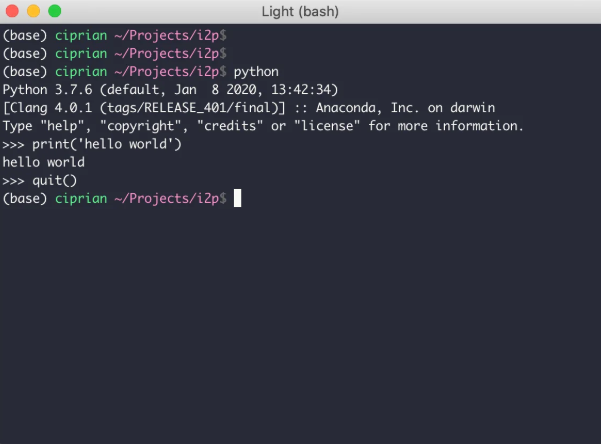
To run Python programs:
- Install Python interpreter
- Open terminal or IDE
- Write your script
- Execute using command or run button
This simplicity is why many beginners start their journey by learning how to run code using Python.
It gives instant results, making learning more interactive and engaging.
Working with Command Line Execution
The command line is a powerful tool used by developers to run programs efficiently.
Instead of clicking buttons, you type commands that directly execute code.
Learning how to run code using command line improves your speed and understanding of system operations.
For example:
- Python:
python file.py - Java:
java FileName - C++: compiled executable
This method is widely used in professional environments for automation and scripting.
Running Code in IDEs for Real Projects
IDEs are the backbone of modern software development.
They provide everything needed in one place:
- Code editor
- Debugging tools
- Execution buttons
- Project structure
When you learn how to run code inside an IDE, you also learn how real developers build applications.
You can easily run programs with a single click while also monitoring errors in real time.
Debugging While Running Programs
Execution is not always smooth. Errors are part of programming.
Debugging is the process of identifying and fixing these errors.
Common issues include:
- Syntax mistakes
- Missing libraries
- Incorrect logic
- Runtime failures
Understanding how to run code also means learning how to fix it when it breaks.
Debugging helps you become a stronger problem solver and more confident programmer.
Advanced Execution Concepts
As you grow in programming, execution becomes more advanced and scalable.
Modern systems use:
- Cloud computing platforms
- Containers like Docker
- Virtual machines
- Distributed systems
These technologies allow programs to run anywhere in the world with high efficiency.
At this stage, how to run code becomes a concept tied to architecture, performance, and scalability rather than just syntax.
Mobile Programming and Execution

Programming is no longer limited to computers. Mobile devices now support coding environments too.
Apps like Termux and Pydroid allow users to write and execute programs on smartphones.
This makes learning how to run code flexible and accessible anytime, anywhere.
It is especially useful for students and beginners who want to practice without a laptop.
Common Mistakes Beginners Make
When starting out, many learners face similar problems:
- Forgetting syntax rules
- Running incorrect file paths
- Not installing dependencies
- Misunderstanding errors
These mistakes are part of the learning process.
The key to mastering how to run code is patience and consistent practice.
Best Practices for Smooth Execution
To improve your programming experience, follow these simple habits:
- Always test small sections first
- Keep code clean and organized
- Read error messages carefully
- Use comments for clarity
- Practice regularly
These habits make execution smoother and reduce frustration.
Advanced Tools Used by Developers
Professional developers use advanced tools such as:
- Version control systems
- Cloud IDEs
- Automated testing frameworks
- Continuous integration systems
These tools help manage large projects efficiently.
Understanding how to run code at this level involves teamwork, automation, and deployment systems.
Future of Code Execution
Technology is evolving rapidly. Soon, coding will become even more automated and intelligent.
AI-based tools will help write, debug, and execute programs automatically.
Cloud-based platforms will allow instant execution without setup.
The way we understand how to run code today will continue to evolve into smarter and more accessible systems.
Code execution is the process of converting written instructions into actions performed by a computer system using interpreters or compilers.
FAQs
What is the easiest way to run programs for beginners?
Online compilers and Python IDEs are the easiest starting point.
Do I need to install software to run code?
Not always. Browser-based tools allow execution without installation.
Why does my program show errors?
Errors usually come from syntax issues, missing files, or incorrect logic.
Can I run programs on my phone?
Yes, mobile apps like Termux and Pydroid support execution.
What is the fastest method for running code?
Command line execution is generally the fastest for experienced users.
Conclusion: Mastering Execution for Real Programming Success
Learning programming is not complete until you understand execution. Writing code is only the first step; running it successfully is what brings your ideas to life.
From simple scripts to advanced systems, mastering how to run code allows you to move from beginner to confident developer.
With practice, the right tools, and consistent learning, you can execute programs on any platform and turn your logic into powerful real-world applications.